Wednesday, April 29, 2009

Morning Glory Freebie part 2!


Blogger distorts pictures, so please click the image to enlarge.

I hope you enjoy the next part of my Morning Glory kit! 2 cluster frames, 1 doodle frame, 1 quilt frame and 5 papers! I made it for DSO's April Color Challenge, led by kimb. It is kimb's 2 year anniversary so be sure to visit her blog for some goodies!

Be sure to add my blog to your blogroll so you can be notified when I update with new freebies. This kit is getting pretty big and I want you to be able to grab it all!

Love, Renee

Monday, April 27, 2009

Morning Glory Freebie Part 1 - desktop, quickpage and paper!


Blogger distorts pictures, so please click the image to enlarge.

I hope you enjoy the first part of my Morning Glory kit! I made it for DSO's April Color Challenge, led by kimb. It is kimb's 2 year anniversary so be sure to visit her blog for some goodies!

Be sure to add my blog to your blogroll so you can be notified when I update with new freebies. This kit is getting pretty big and I want you to be able to grab it all!

PS: After you drop your photos behind the May desktop (png), make sure you flatten/save as jpg file. Otherwise your desktop icons will look a bit funny! (my photos are not included hehe)

download here

Please visit this post for an additional quickpage from this kit.

forgot to add thanks to irisb477 in my TOU :)

Love, Renee

Thursday, April 23, 2009

Scraplift Challenge and a freebie!


for April 2009 Scraplift challenge at DSO, using Livia's fantastic page titled : Chelly as inspiration. Challenge is being led by Beth Long. Be sure to click the image for a better view.

The ideas that inspired me : picture frame to the side with a border, the flowers, having a Word art tag and the "grungy" (yet sweet) feeling to the background paper.

all elements and paper Made by Renee from my kit entitled "Morning Glory"(soon to be part of the April 2009 Color Challenge - so watch for it!). Thanks to scrappin cop and delicious scraps for their CU items, obsidian dawn for the brush on my wordart tag.

Since you were so nice to stop by my blog, I'm going to give you this layout as a QP. Enjoy!

download here
Love, Renee

April Quote Challenge and my slide converter


Yep, that's me in that picture.


This is my page for the April 2009 Quote Challenge at DSO led by Andrea Dickinson. Be sure to click the image for a better view... and let me know what you think!

all papers, elements, cluster frame and edge made by me for my new kit Morning Glory.

CU items: thanks to delicious scraps, Tbugz, gunhild and polarfuchs. You can find their links in my sidebar.

This photo was a slide that I converted to a digital picture. The quality isn't that great, but I really love my converter because I can be assured I will have the pictures for a long time to come. It also converts negatives, which is pretty nice too. The only downfall to the converter is if your slide is too bright. I had one like that and it didn't come out at all.

Now that I have converted them to digi, I may feel safe enough to send my slides off to be developed into true photographs. I think that would be a nice pressie for my mom :)

Love, Renee

Monday, April 06, 2009

The Great Exchange April 2009


These are my 2 submissions to DSO's Great Exchange, led by Shannon! Here's how the challenge works:

Join us each month as we create items to share! Create one item to share and receive ALL that month's creations in return. For this month's Great Exchange, we're featuring Flitter Flutter and To The Moon by our April Designer of the Month - Melanie Ann. We'll continue with the QuickPage theme; this time we'll be creating 8.5x11 or 12x12 QPs. So come on, show me what you've got - post a preview (low-resolution marked with preview) in the Gallery and leave us a link in this forum. Send the full-resolution file in either PNG or JPEG format (a zip file is fine) to [Shannon] - and in return, you'll get ALL of the QPs submitted this month. How great is that!?!?

You can check out Melanie Ann's kit "Flitter Flutter" here and her shop here.
Love, Renee

Saturday, March 28, 2009

Book of Me Challenge


This was done for the March Book of Me Challenge at DSO... it is led by Livia who has a GORGEOUS posting bonus (do 3 of her challenges and you have a really wonderful kit named I heart sunflowers!). You had to scrap 5 of your favorite things (right now).

Of the scenic photos Ive taken, these are my 5 favorite (right now). I'm definitely no photographer, but these pictures evoke certain feelings when I look at them.

Thanks to Mrs Wresh for the template and pimpyourscrapbook for the "wooden" background paper.

Love, Renee

Friday, March 20, 2009

Little Roses.. Little Freebie!


I made these a while ago.. if you like them, feel free to download them! each rose is on it's own layer to make one less step in using them! 4shared or box.net

I really love Kristin's new kit.. it's so soft and the elements are gorgeous! check it out on her blog, Digi Delights (each part is just $1 right now)!

Have a super great day!

PS: stop by kimb's blog.. she has some fantastic freebies going on!
Love, Renee

Lyric Challenge


I made this layout for the Lyric Challenge at DSO led by Livia. She has 3 challenges this month and if you do all 3 you get to collect a whole kit! The kit is super cute too.. it's sunflowers!

The layout is kind of plain, but I texturized the paper and extracted the picture. It came out how I wanted it to.
Love, Renee

Friday, March 13, 2009

Making Embossed Paper (PSE)


Embossing is a really fun and easy technique that makes your paper pop!


1. Bring a background into PSE or make a new one and fill with color, then texture or pattern (if you like).


2. Create a new layer above your background. Using your brush, paint some designs. Painting them into a pattern looks really nice (using the Patterns in PSE won't work for this tute).


3. Duplicate your background layer and move it to the top, grouping it with your brushed pattern layer. You can't see your pattern yet, but don't worry! Leave your blending mode on normal for all layers.


4. Select your brushed pattern layer and apply a bevel to it. I used simple sharp inner, but you can use anything you like.


5. Play around with the opacity until you get the embossing to your liking. You can change the light source and see how different the embossing looks.


enjoy!
Love, Renee

Wednesday, March 11, 2009

March Color Challenge Freebie


The March color challenge at DSO (led by kimb) is up and FLYING! Here's my contribution: 4shared or Box.net


I also made this bonus mini kit just for you visiting my blog :) 4shared or Box.net


thanks for stopping by and as always, please send your friends to my blog to download and do not send direct links!
Love, Renee

Saturday, March 07, 2009

blog awards and tag-you're-it!

Shannon at Desert Designs gave me some blog love!


the lemonade stand is "..an award for the neighborhood spirit and friendship our blogs let us all share"!


wasn't that so sweet - why don't you go say hi to her? she has some great stuff to share and her daughter is a gorgeous dollbaby!


I'm going to pass them on to my good friends Holly and Shuranda!


I am also going to do the "tag" thing:


rules:


•Go to your photo folder in your computer

•Go to the 6th folder of photos

•Go to the sixth picture

•Put the picture on your blog and a description of it

•Invite six friends to join the challenge

•Link them in your blog.

so.. umm this was my sixth picture in the sixth folder LOL

I don't know what that is. but it was in my food folder so I am assuming that's what it is LOL. oh wait! I know what it is...

CONEY ISLAND CHILI DOG PIE!! it is D-E-L-I-C-I-O-U-S even for non-low carbers. My husband loves it!

I won't be tagging anyone.. but play along if you like (and make sure to try that recipe - it's awesome)!
Love, Renee

Template Challenge..and a Sneek Peek!


I guess I am challenge crazy! This one was done for the DSO template challenge, led by Bunny this month. She has a really pretty posting bonus available!


fonts: cheri and angelina

template by bunny cates

papers, stitches and elements from the kit I am making for the march color challenge (I have added the rose colors.. you didn't get to see those on the sneak-a-peek.. but look how cute that cherry blossom tree is!)


Love, Renee

Photo Op Challenge.. and 2 Freebies!


I did this one a few weeks ago, but thought I would enter it into the March Photo Op Stop Challenge at DSO. It is being led by Jazz who always has fabulous wordart posting bonuses!

and just for stopping by - I am giving away the Vintage Paper and Cluster as Freebies! The paper doesn't have Sparky on it, it is just the antique white with lace behind it. The cluster inclues the postcard, kids card, string and lace! They are both very cute - make sure to click the preview to see them closer. Special thanks to Gunhild for her CU items!

download from 4shared
Love, Renee

Wednesday, March 04, 2009

Quote Challenge


This is for the March Quote Challenge at DSO, led by andrea dickinson.

You may not be able to see it, but everytime I look at this picture I know my sister is laughing hysterically.

her and that dog!

ribbon - lovely sample - bad candy
robinsegg paper - blossom love sampler - by chrissy snow
striped paper- blue paisley - by mommyscraps
heart frame - Dear Mother - by Helen Monteiro
Smile - Edwardian Script
quote and backdrop - Tempus Sans ITC

I really love that DSO gives kits as posting bonuses (they are really pretty!) and don't do the whole point system. I can't always do 20 layouts in a month just to get a buck off of some store item. I actually don't do challenges that give coupons as rewards.. maybe I'm missing out on something, but I prefer it this way.


Love, Renee

March Scraplift Challenge!


New Challenges at DSO! This is for the March Scraplift Challenge led by Beth ! She has a beautiful posting bonus up (hint hint: it has butterflies!!)


I really love these photos I took while driving. I changed them to "newspaper" black and white and then duplicated the layer. I changed the duplicate layer to Overlay, then sepia tone and finally turned the opacity down to 50%. I think it makes the BandW a little richer. There are some really nice actions out there for beautifying BandW but I forgot to load them into my PSE7.


papers, lace and bronze heart by Gunhild (CU items) and the buttons are from the scrappin cop (CU items). font used is Payrus.

Keep checking back for a new freebie sometime within the next week! It's for the Colour Challenge at DSO - and those are always fun! I'll give you 2 hints about my freebie:1) it has quilled flowers and 2) here's..


Love, Renee

Tuesday, February 24, 2009

How to Fit a Picture into an Irregular Frame (or any frame!)

The first thing you need to make sure of is that your frame and photo are on their own layers. Of course, I put everything on it's own layer to make editing easier. Then:


  • Activate your frame layer

  • Choose your magic wand tool

  • Click the main photo area (you should see marching ants in the part of the picture you want to keep)

  • Right Click; Select>inverse

  • Activate your photo layer

  • Hit delete

This should delete all of the picture except what was inside the frame.

Love, Renee

Monday, February 23, 2009

4Shared and viruses!

I'm sure you have heard about it over the last week or so.. but apparently 4shared has more in store for you than just free kits and quickpages! Read More Here

I personally have seen my anti-virus program stop 2 trojans in the last month. I do run 2 anti-virus programs (updating daily) and a malware program every day so I know my system is safe, but it sounds like these new ones are getting by and into other's PCs.

My husband is planning on reformatting my HD this week (we were on planning it anyways) and I have moved all of my important stuff to the extra HD I have.

I don't want anyone to be scared of DLing from me, so I have made an account at box.net (I suggest you do too). Like the posters above, I too believe it is coming through ads at 4shared and not through DLing. I have had that one ad pop up that pretends it is an anti-virus program more than once (I simply shut down my PC) and some other really strange (and pornographic) ads have popped up there. Box.net has no ads (at the moment).

I also do not want to be responsible for wiping out my husband's PC! My PC is one thing.. but if it happens to his he will be really angry!

Anyways.. be safe. I would recommend not DLing anything from 4shared and moving your stuff to another place. Also run your AVs and even have grisoft check yours out online.

Please note: I have had no complaints with any of my things, this is simply a preventative measure!

PS: another good thing to do is to make sure your popup filter is ON!

EDIT 3/3/09: apparently there is a bandwidth limit on box.net so I will include the 4shared links. Use firefox if you dont want troubles (although Ive not had any in the last week from 4shared).

Love, Renee

Friday, February 20, 2009

domesticG

Click to view entire layout!


I did this double page layout for the February Template Challenge at DSO hosted by teriann hanks.
The kit I used is from Andrea Dickinson and the alpha from Sir Scrapalot Designs

This is kind of out of the box for me.. thought I'd try something new with a grungy look to show off my new washer and dryer! and that's not me BTW haha that's Mrs June Cleaver herself - the original domestic goddess!

See my post on Made by Renee about Joaquin Phoenix and the Dosmestic Goddess!

Love, Renee

Sunday, February 15, 2009

Random Photoshop Brush Tips

from Obsidian Dawn:

You know how the grass that comes with Photoshop fluctuates in color, each time that you use it? You can do that with any brush that you want! Here’s how.

  • Hit F5 to bring up your brushes tab
  • Choose “Color Dynamics”
  • One way to control the color is to choose two colors for your foreground and background colors. In the case of a blade of grass, say… light green and dark green. Then set the “Foreground/Background Jitter” bar somewhere between 25-75%. When you use your brush, it will now vary in color between the foreground and background colors that you chose!

Another way (or you can do the former and then ALSO do this) is by using the Hue, Saturation, and Brightness Jitter sliders.

  • Hue will change the color itself. Set it at about 10%, and your green will become both a blue-green and a yellow-green sometimes.
  • Saturation will change the intensity of the color. Set it at 20% or so, and your green will switch between a bright, vivid green to a slightly grayed-out green.
  • Brightness will change the darkness of the color. Set it at 20% or so, and your green will range between a light green and a darker green.


Play around with these settings, and you can achieve all kinds of color variations!

Other Brush Tips from Obsidian Dawn:

Under Brush Tip Shape Spacing: This will make the brush closer together or farther apart

Under Shape Dynamics Size Jitter: This will make the size vary more or less

Minimum Diameter: This will dictate the minimum size that the brush will be (as its varying in size)

Under Scattering Scatter: This makes the brush scatter about more or stay more along the path that you’re painting

Under Other Dynamics Opacity Jitter: This makes the brushes vary in opacity as they are painted - more or less

Love, Renee

Friday, February 13, 2009

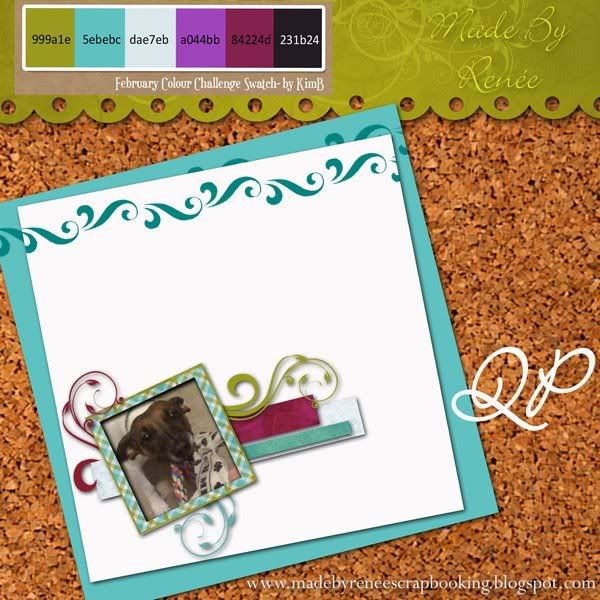
Freebie Quickpage!


I thought I'd make a QuickPage to go with the Feb DSO Colour Challenge (click picture to enlarge). Of course, my little kit is still available for download (see this post).

download the QP from it's new home on box.net and enjoy! (4shared link)

Love, Renee